DropMiner for Windows

Choose your favorite games. DropMiner does the rest.

Choose the games you care about. DropMiner finds eligible campaigns, tracks progress and organizes every reward while you stay in control.

  • No card required
  • Windows 10 y 11
  • Starts with an eligible campaign
Real application MINADO / WINDOWS
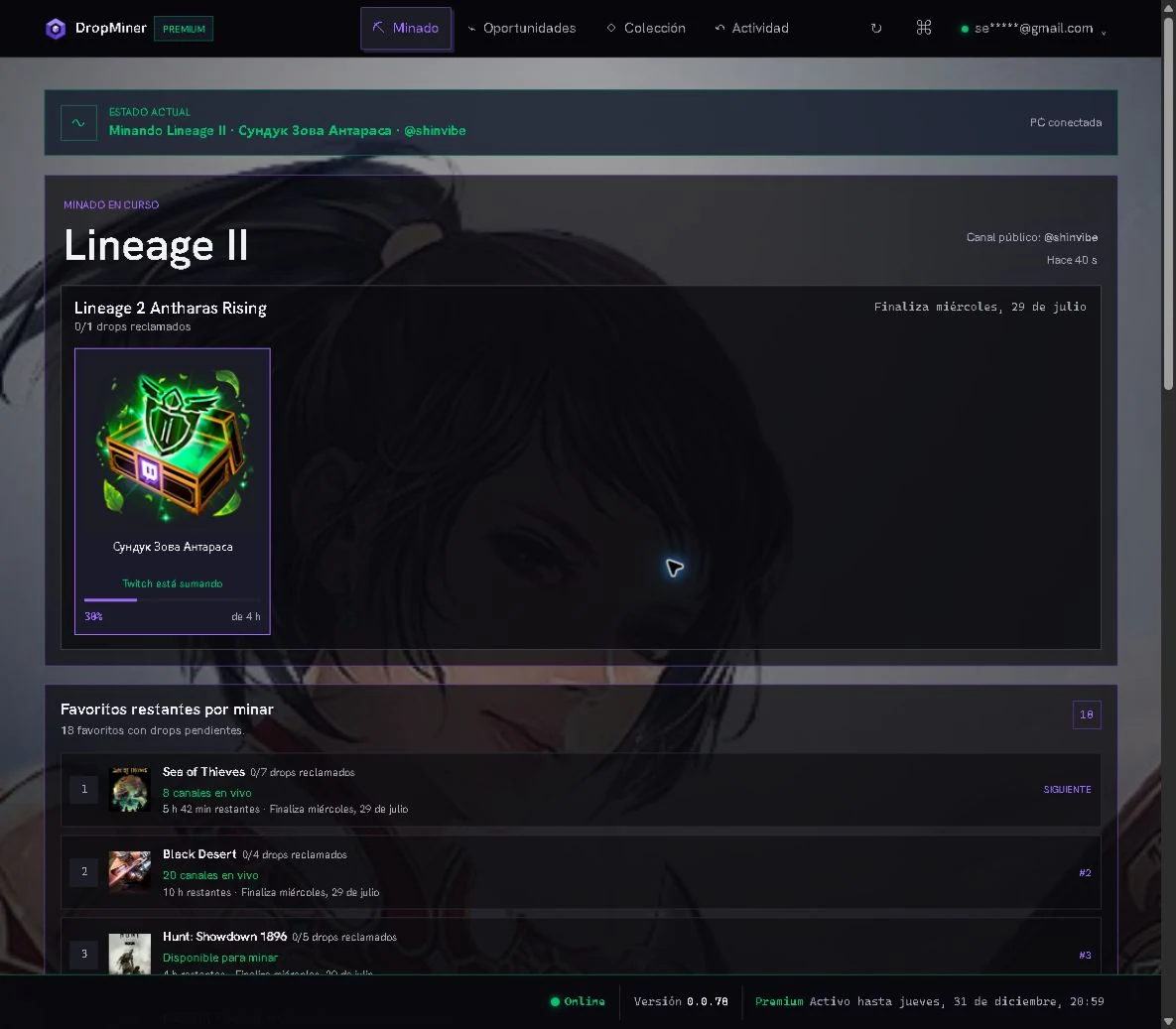
Real Mining view with an active game, a reward in progress and the favorites queue
Web Dashboard Check the same progress from your phone or another PC.

The app, section by section

Three sections.
One simple workflow.

First choose your games. Then DropMiner tracks progress and keeps a history of every reward you earn.

01 / CAMPAÑAS

Choose your favorite games.

Review available campaigns and choose what to prioritize. DropMiner uses that selection to organize the queue.

  • Favorites, undecided and excluded
  • Availability and deadlines at a glance
Desktop application CAMPAÑAS
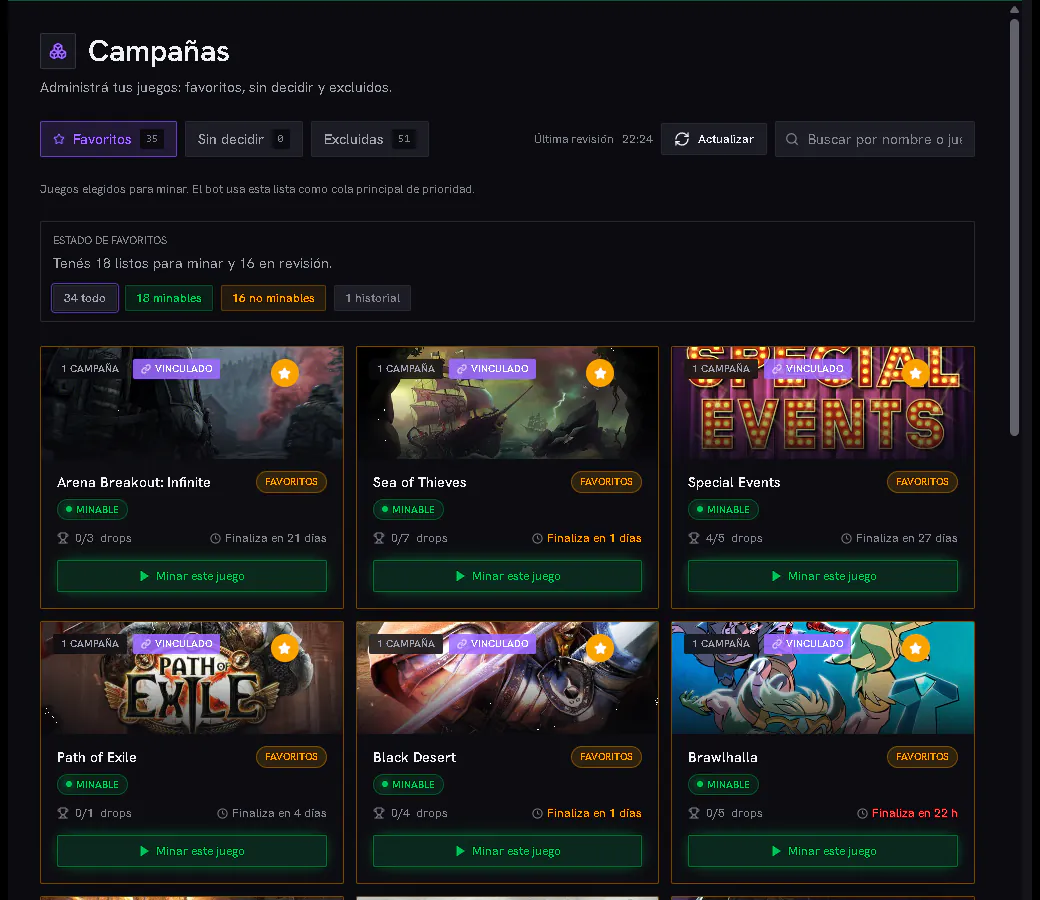
Real Campaigns view with favorite games, mining availability, drop counts and end dates
Real data from an active session · availability may change

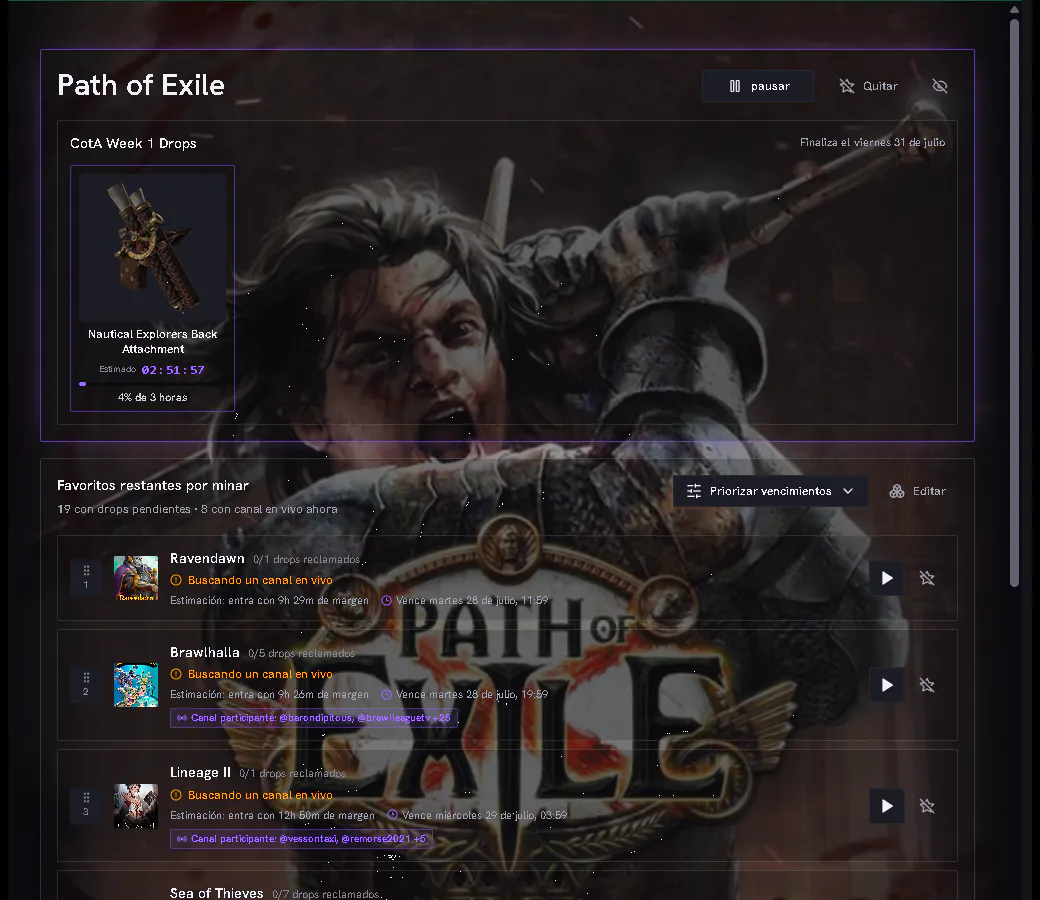
02 / MINADO

DropMiner keeps moving. You stay in control.

Let DropMiner follow eligible campaigns while you see the active game, remaining time and what comes next.

  • Current reward status and progress
  • Control over the session and queue
Desktop application MINADO
Real Mining view with Path of Exile active, a reward in progress and the favorite games queue
Real capture of the installed Windows app

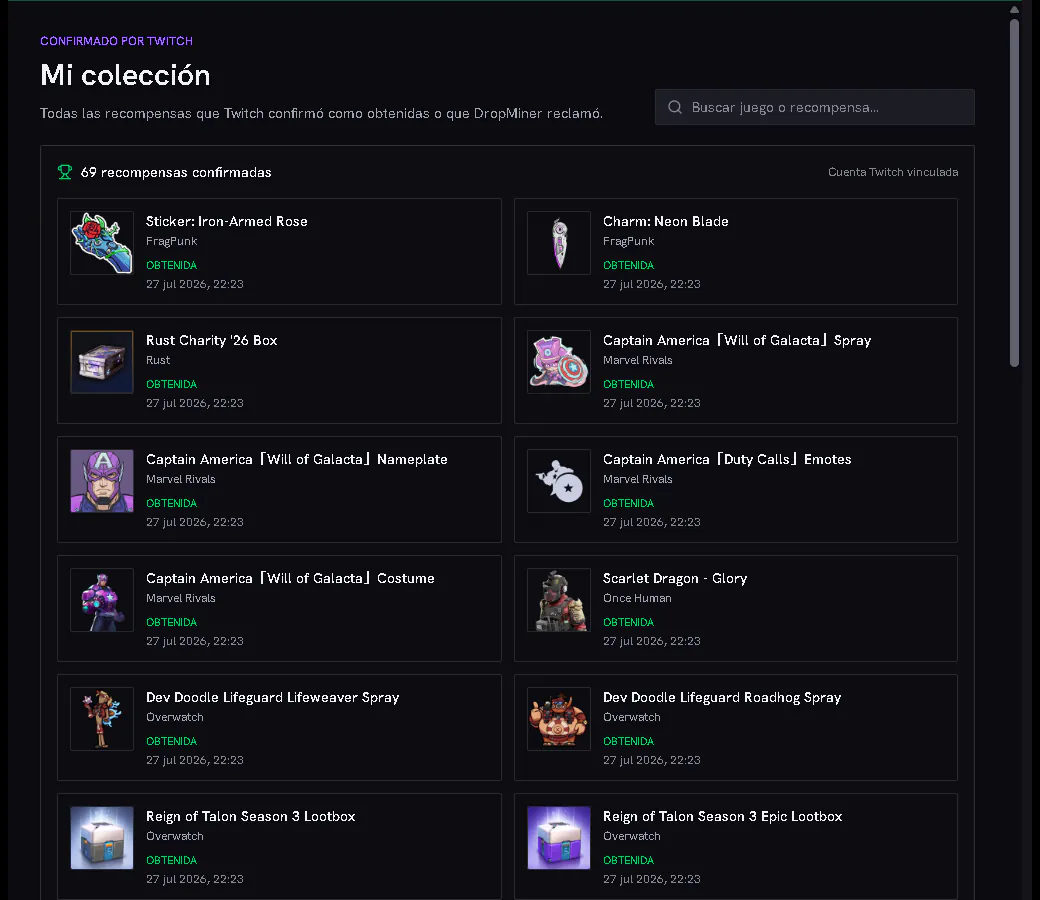
03 / MI COLECCIÓN

Your reward history.

Find every confirmed reward you earned, organized so you can check it again anytime.

  • History of earned rewards
  • Game and date earned
Desktop application MI COLECCIÓN
Real My Collection view with confirmed rewards from different games
The collection only shows confirmed rewards
Web browser PANEL WEB
Real DropMiner Web Dashboard in a browser, with active mining, an original reward and the favorites queue
Real Web Dashboard capture · live status and original rewards

Web Dashboard / remote access

Your DropMiner, wherever you are.

Open it from your phone or another computer to see what DropMiner is mining, how long remains and what comes next.

  • Up-to-date status, progress and queue
  • Access from any browser

The Web Dashboard complements the app: DropMiner keeps working on your PC.

Open my Web Dashboard

01Official authorization outside DropMiner

02Your password is never entered in the app

03Mining runs only on your PC

Before installing

Three important answers.

Does DropMiner need my password?

No. Authorization is completed through the external platform's secure flow.

What can I see in the Web Dashboard?

Mining status, progress, queue and rewards. It is a read-only dashboard, and DropMiner must remain open on your PC.

When does the trial start?

The seven days begin when an eligible campaign appears. The desktop app runs on Windows 10 and Windows 11.

Free trial

Try it free for 7 days.

The trial starts when an eligible campaign appears. No card required.

$0during the trial

Download DropMiner from Microsoft Store Windows 10 y 11 · Simple cancellation